






Microsoft Authentication
I work as a security guard at a tech company that had a major data breach a few years ago. I know a little bit about it because at the time, I worked for the tech company as a technician. 4 years later, I’m walking around on graveyard shifts checking temperatures in data closets and server rooms. Sometimes I walk past my old cubicle, which is now full of junk.
So it goes.
After the breach, the company set up a whole bunch of new things in an attempt to ensure that they don’t get caught again. I could go into details; might do that some other time because it’s entertaining, if only to me.
One of the things they did was make everyone get a Yubikey for when they log in. It’s a form of two-factor authentication. It’s a little plastic thingie that you plug into USB on the laptop. You type your username, then your domain password, and then get prompted for a password provided by the Yubikey and it pasts a long password that looks like uhggkvkfgbubiugyg (only a bunch longer than that). If you forget your Yubikey, you are presumably stuck not able to get into your email and other things. If you forget your access badge, you can get a temporary from the front desk, but it might not have access to all of the special access rooms.
Tonight when I came in for my shift, there was something new when I logged in. After I typed my username and password, there was a new prompt saying that I was supposed to get things more secure, and set me up with a PIN. Maybe you’ve seen ths on a Windows machine.
It wanted me to install Microsoft Autheticator on my phone. I use Google Authenticator for a few websites that I use. I don’t have any reason to have Microsoft Authenticator. Fine, I guess I’ll be using that instead of my Yubikey. Presumably, when you I log in, I’ll have to copy a code that is in the app. That’s how Google Authenticator, at least.
I didn’t get this set up right away, there were patrols to make. Not getting logged in meant that I wasn’t able to see the cameras or the log from the badge readers. When I did sit down to do it, I installed Microsoft Authenticator. Turned out it was already installed but the Play Store had a “activate” button instead of install, and the only profile in there was from this tech company. Presumably I had it from when I worked here? Note to self: it’s a good idea to go back and see if you have any apps on your phone to see if there are any that you don’t need or use any more. I did such a scan a few weeks and ended up deinstalling about 10 apps that I’d installed because they looked interesting but never used, or ones that didn’t work any more because whatever they connected to didn’t exist any more.
So once I installed Microsoft Authenticator and tried to add the new profile. It immediately told me that I needed to install another app and had a link to Play store for something called Intune Company Portal, which also comes from Microsoft. Ratings ont eh Play Store averaged to 2.6 - lots of 5 stars, lots of 1 stars.
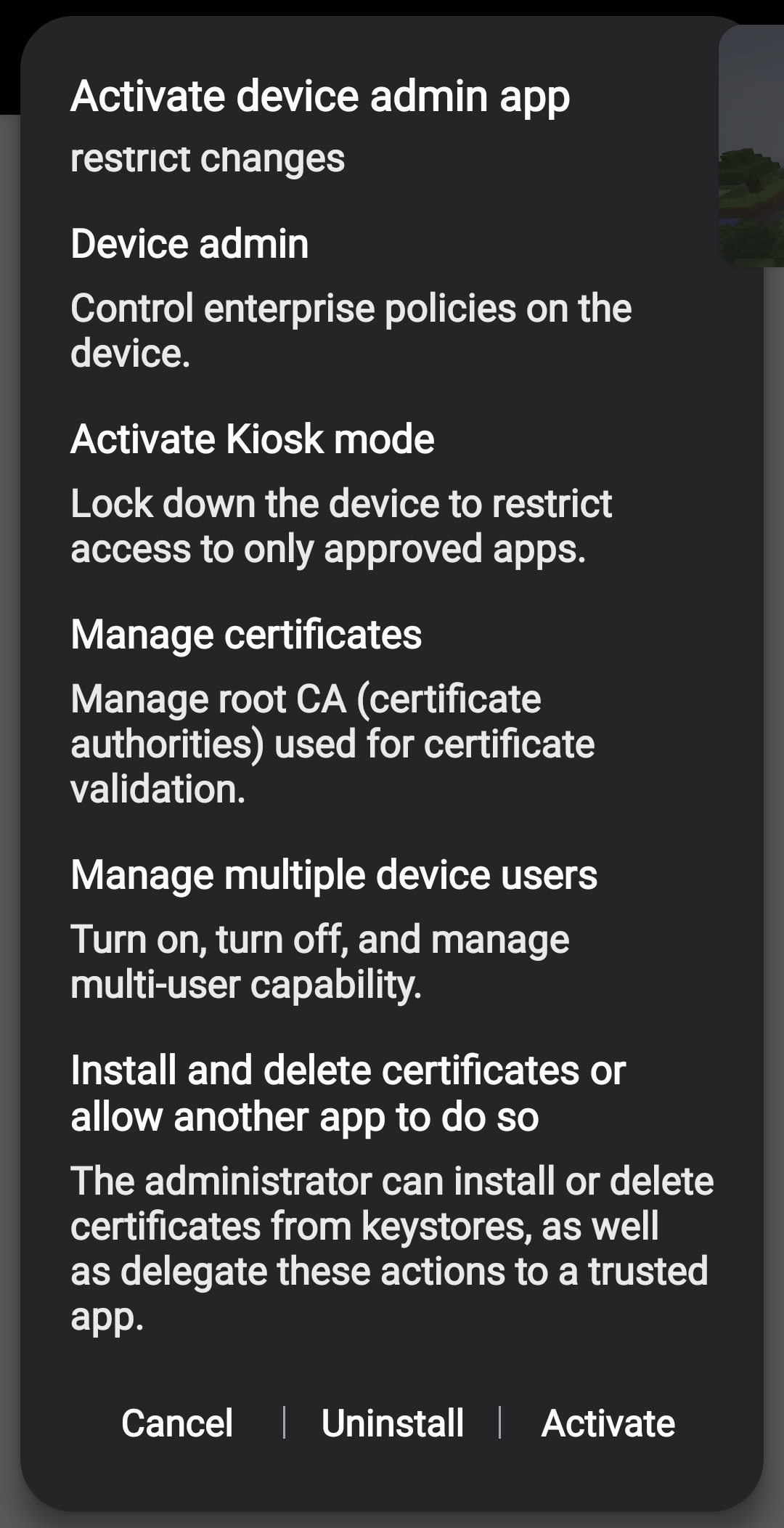
The next thing to do is to activate, and this is where things get complicated. Before I get to that, let me clarify some things. In all the years I’ve had cel phones, I’ve never opted to have the company pay for my phone. If I pay for the phone or
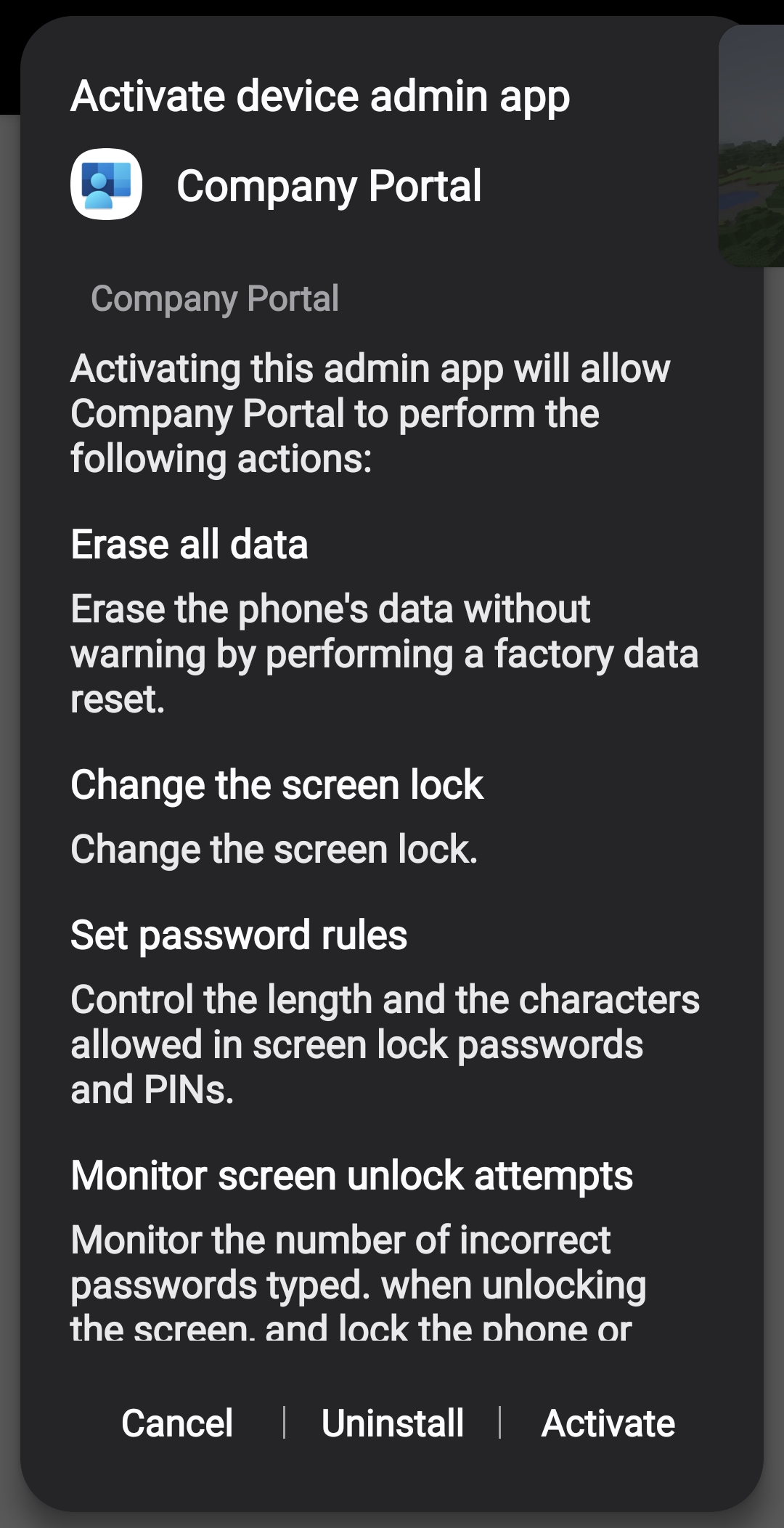
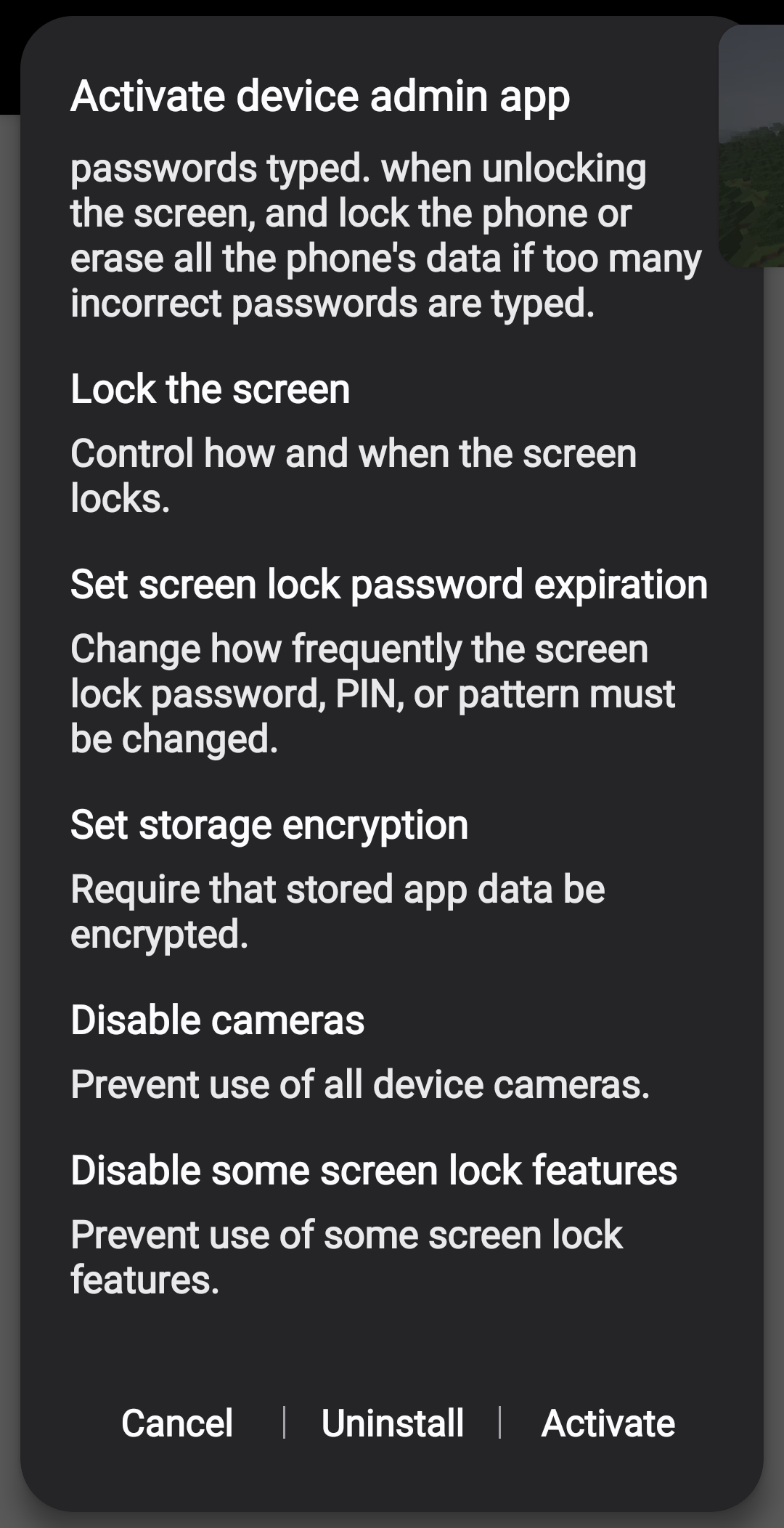
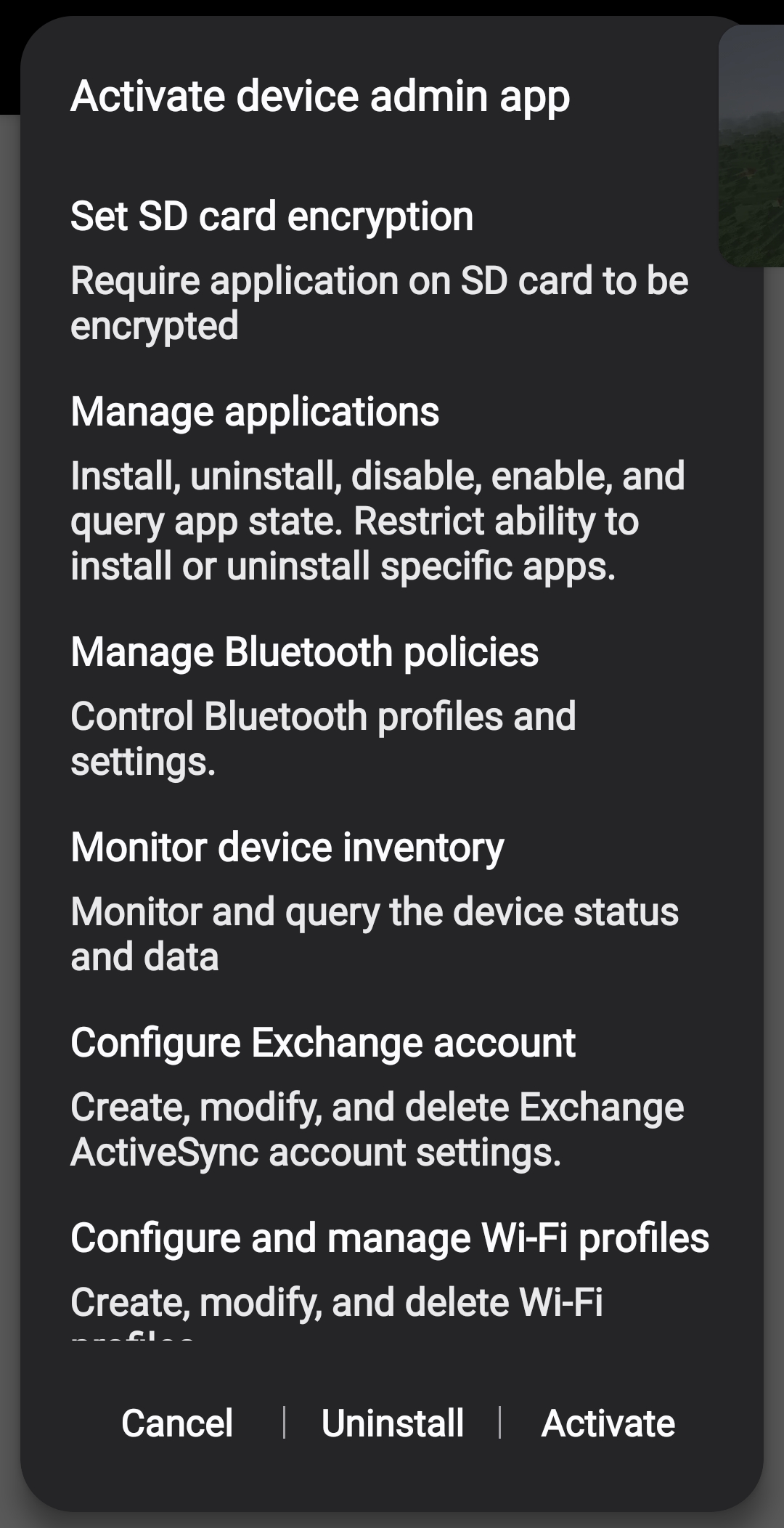
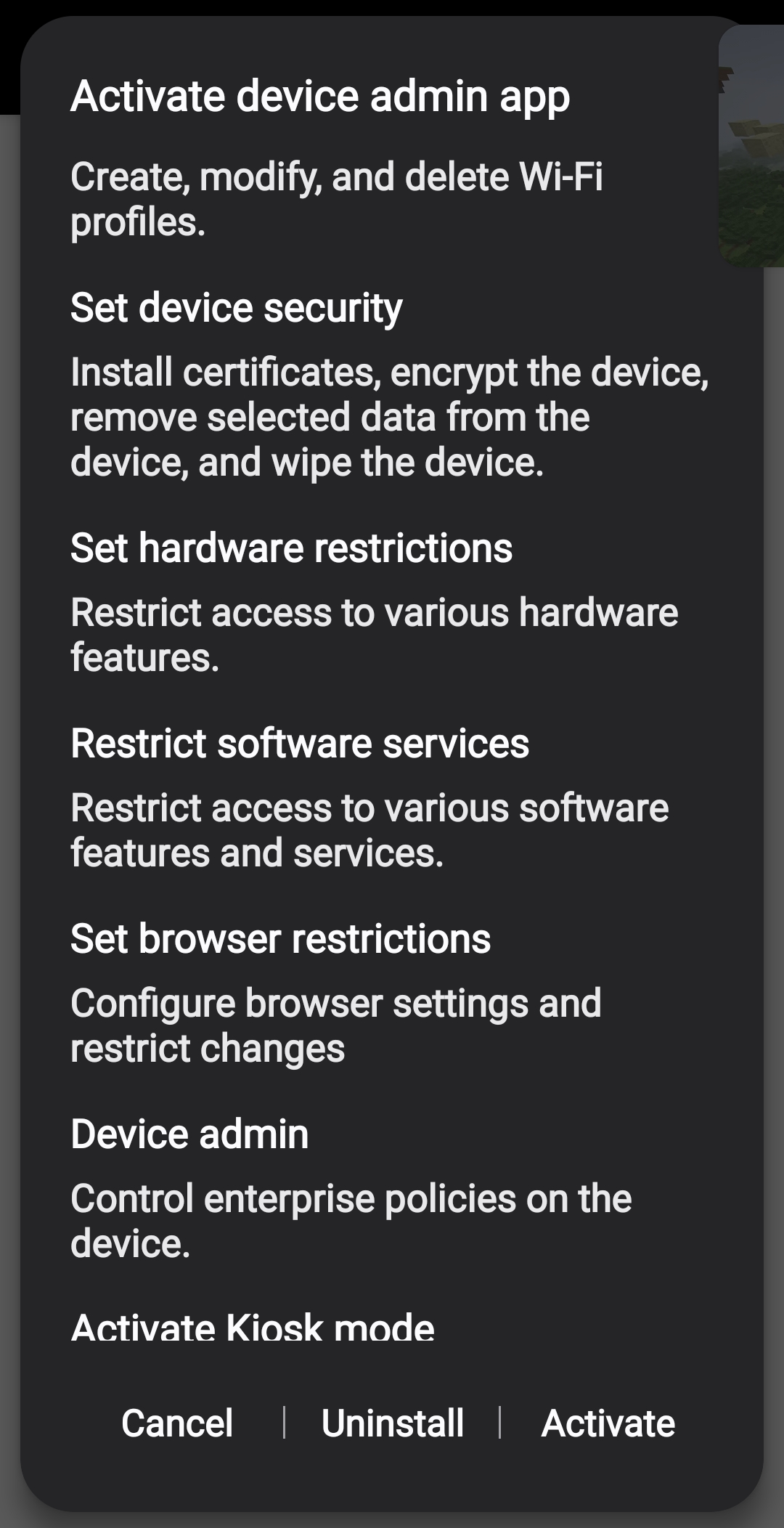
Just to get the ideas out of my head, flesh out later: Activating the app says that will allow the Company Portal to: * erase all data - erase the phone’s data without warning by performing a factory data reset * change the screen lock * set password rules * monitor the number of incorrect passwords typed when unlocking the screen and lock the phone or erasl all the phone’s data if too many passwords are typed * control how and when the screen locks * Change how frequently the screen lock password, OIN or pattern must be changed * require that stored app data be encrypted * prevent use of all device cameras * Prevent use of some screen lock features * require application on SD card to be encrypted * install, uninstall, disable enable and query app sate. Restrict ability to install or uninstall specific apps * create, modify, and delete exchange ActiveSync account settings * create, modify and delete wi-fi profiles * install certificates, encrypt the device, remove selected data from the device, and wipe the device. * Restrict access to various hardware features. * restrict access to various software features and services * lock down the deice to restrict access to only approved apps * turn on, turn off and manage multi-user capability
There are others, but this list includes the promlematic ones like allowing remote wipe, installing or uninstalling apps and disabling hardware and software features of the phone.
This phone does not belong to my employer. They do not pay my bill. I pay my bill because I like to keep it clear whose phone it is. If I decide not to answer my phone, that’s my business. I do not have apps like Exchange for email or Teams for messaging. this is intentional.
As it turned out, after rebooting my desktop, I was able to log in like usual using username/password/yubikey but I assume that this is going to pup up again, maybe tomorrow.
The question, is this a hill worth dying on? I’m not using the phone to access corporate resources like files or email. The only fuzzy part of this, in my opinion, is that I am connected to the guest wifi because cel service in this part of Longmont sucks lately thanks to some government “low signal zone” project in Boulder. The connectivy problems are well-known and folks are having conversations with the city government about how is it going to be resolved. It’s not unusual to have no signal outside the building.
© 2026 rcanzlovar.com | About | Contact | Privacy Policy |